
You have reached the personal homepage of an entity commonly known as derf / derfnull / Birte Friesel. Hi! 👋
If you are looking for the more professional side of me, you may take a look at my Publications (see below) or head directly to my work homepage: Dr. Birte Kristina Friesel @ Universität Osnabrück
Resources
- Photography
- Projects
- Publications (see also: ESS, ORCID, DBLP, Google Scholar)
- Recipes
- Repositories (partial mirrors: Chaosdorf, Codeberg, GitHub)
- Weblog (Fediverse Microblog: @derf@social.skyshaper.org)
- Whatever
Contact
You can reach me by E-Mail (derf@finalrewind.org) and on IRC (derf0 @ OFTC, hackint). My PGP key for E-Mail encryption is 64FE6EC0 55560F9E F13A3044 19E6E524 EBB177BA. I occasionally post stuff on the Fediverse (@derf@social.skyshaper.org).
The remainder of this page duplicates a curated sub-set of projects and the latest blog entries.
Projects
> dbris 'Eichlinghofen H-Bahn, Dortmund' 'Dortmund Hbf'

19.01. 16:51  (00:21)  17:12   .  Bus  S

Bus 440 → Oespel S-Bahnhof, Dortmund
16:51 (+1)  ab  Eichlinghofen H-Bahn, Dortmund
16:56 (+1)  an  Oespel S-Bahnhof, Dortmund

Fußweg 46m  (≈ 3 min.)
S 1 → Dortmund Hbf   .
17:01 (+5)  ab  Dortmund-Oespel  2
17:12 (+2)  an  Dortmund Hbf  7
> hafas 'Eichlinghofen H-Bahn, Dortmund' 'Dortmund Hbf'

00:15        Schw-B HB5  (0:03)  S 1

Schw-B HB5 → Universität S-Bahnhof, Dortmund
21:51  ab  Eichlinghofen H-Bahn, Dortmund
21:55  an  Universität S-Bahnhof, Dortmund

Walk 37m  (approx. 3 minutes)
S 1 → Dortmund Hbf
21:58  ab  Dortmund Universität: 2
22:06  an  Dortmund Hbf: 4
> efa Essen Martinstr Düsseldorf Hbf
14:34 ab  Essen Martinstr.: Bstg. 1      Straßenbahn 108      Essen Altenessen Bf Schleife
14:38 an  Essen Hauptbahnhof: Bstg. 1

14:47 ab  Essen Hauptbahnhof: 2          R-Bahn RE11 (RRX)    Düsseldorf Hbf
15:24 an  Düsseldorf Hbf: 10
> dbris-m 'Bochum Hbf'
06:39  ( +7)   ICE 843                             Berlin Hbf  5
06:39  ( +7)   ICE 853                             Berlin Hbf  5
06:51  (+19)       S 1                              Essen Hbf  7
06:37  ( +1)   ICE 527                            München Hbf  3
Zug fährt abweichend mit nur einem Zugteil. Die Wagen 31 - 39 entfallen.
> hafas-m 'Hamburg Dammtor'
13:49  ( +1)  RE 7     Flensburg                  3
13:49  ( +1)  RE 7     Kiel Hbf                   3
13:49         S 5      Buxtehude                  2
13:50  ( +4)  Bus 5    Nedderfeld, Hamburg
13:50         U 1      Ohlstedt, Hamburg
> efa-m -s VVO Dresden Hbf
13:40 ( -2)  5      66           Lockwitz
13:41        3      3         .  Wilder Mann
13:44        4      3         .  Coschütz
13:44        6      66           Freital-Deuben
13:46 ( +4)  6      360          Kurort Altenberg Bahnhof
13:46        5      360          Dresden Ammonstraße / Budapester Straße
13:48 ( +1)  1      7         *  Weixdorf
13:51        1      10        .  Tolkewitz
13:52        Gl.10  RE3          Hof Hbf
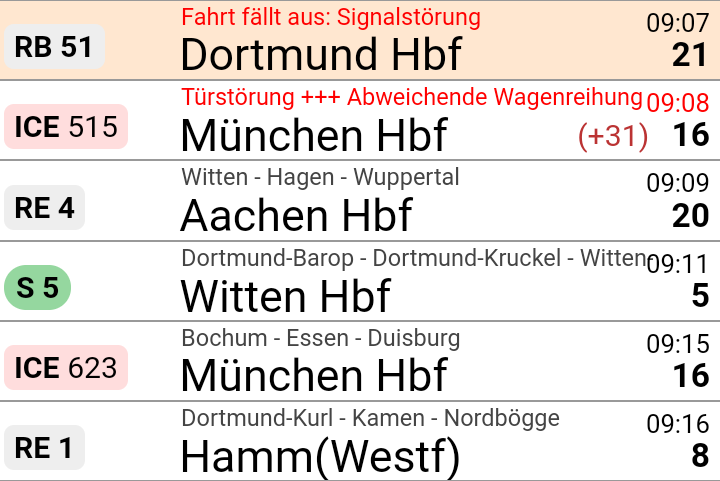

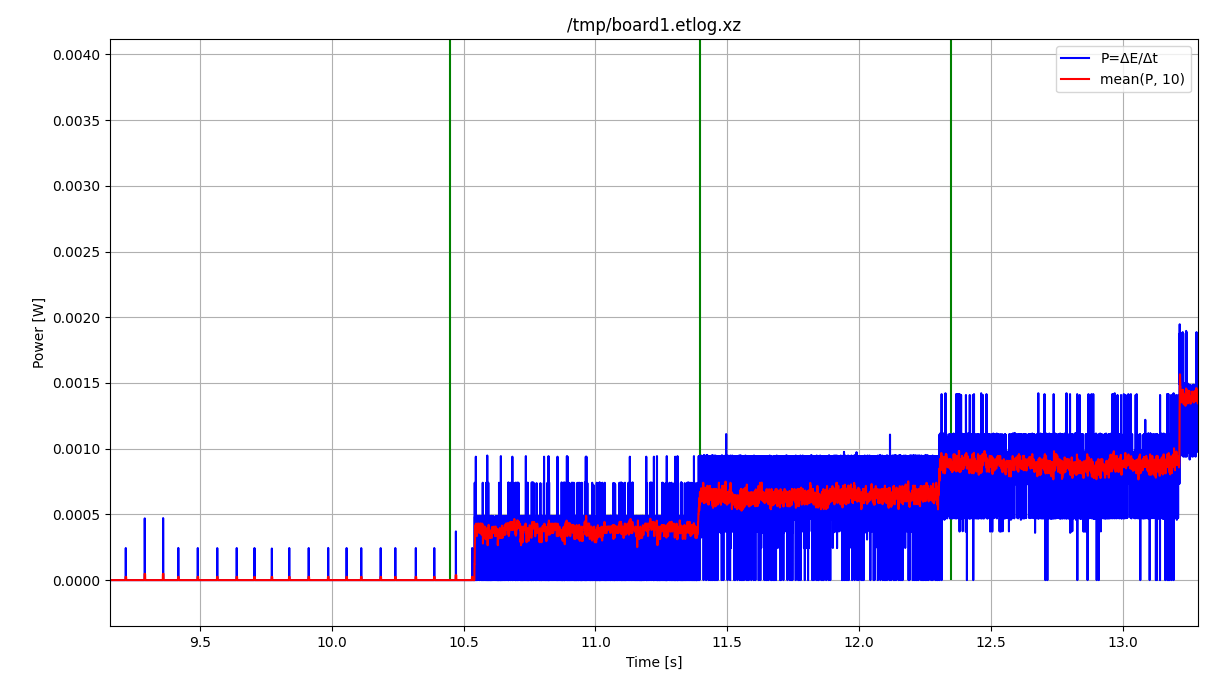
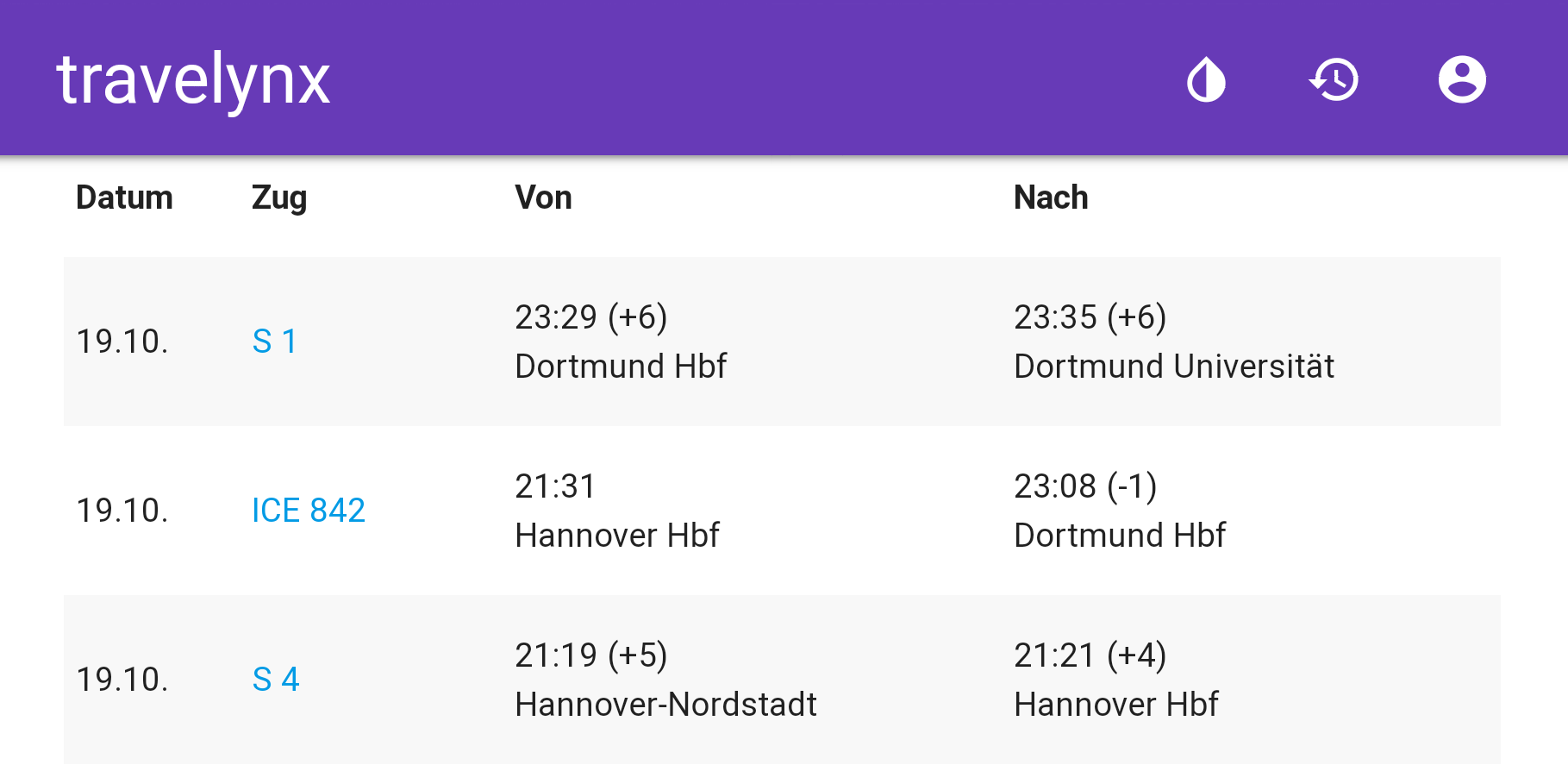
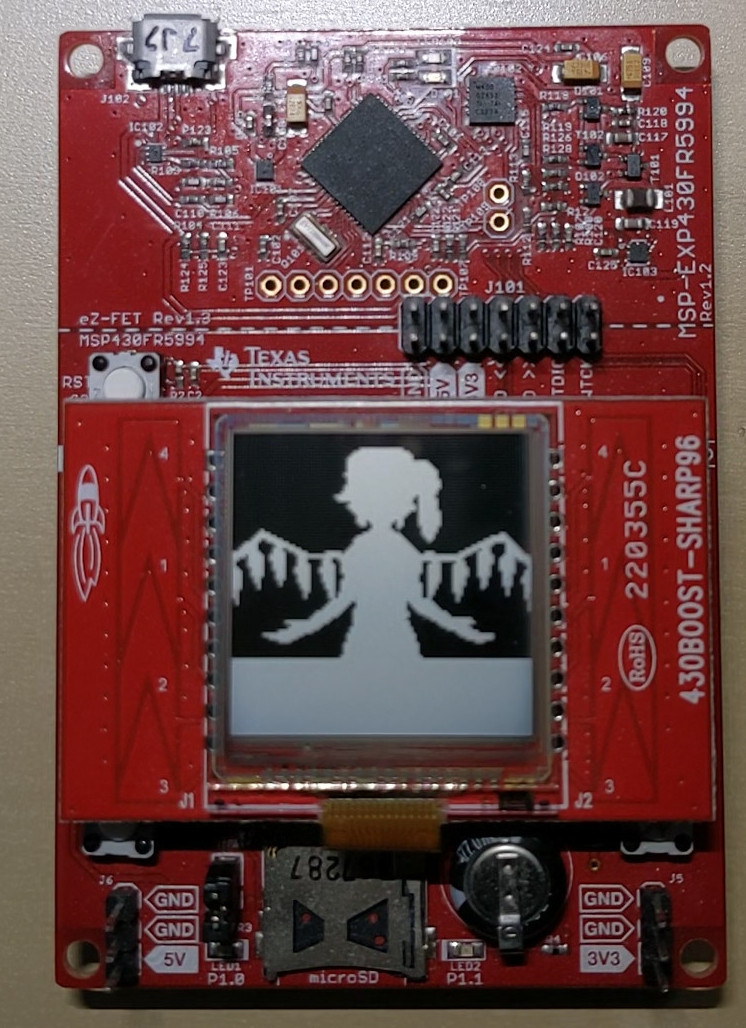
News
Travel::Routing::DE::DBRIS v0.12
Travel-Routing-DE-DBRIS-0.12.tar.gz (signature)
- Segment: adjust for bahn.de-internal API changes
Travel::Status::DE::DBRIS v0.28
Travel-Status-DE-DBRIS-0.28.tar.gz (signature)
- Location: adjust for bahn.de-internal API changes
Software-Defined FM Audio Transmission with ADI / PlutoSDR
ADI / PlutoSDR / PySDR are powerful tools for transmitting IQ samples. Here's how to transmit FM data with them, which can then be received, e.g., via a ham radio handset. I'll also try to explain how the whole transmission business works – however, my understanding of high frequency data transmission witchery is not that good (yet), so you'd better double-check anything you find here.
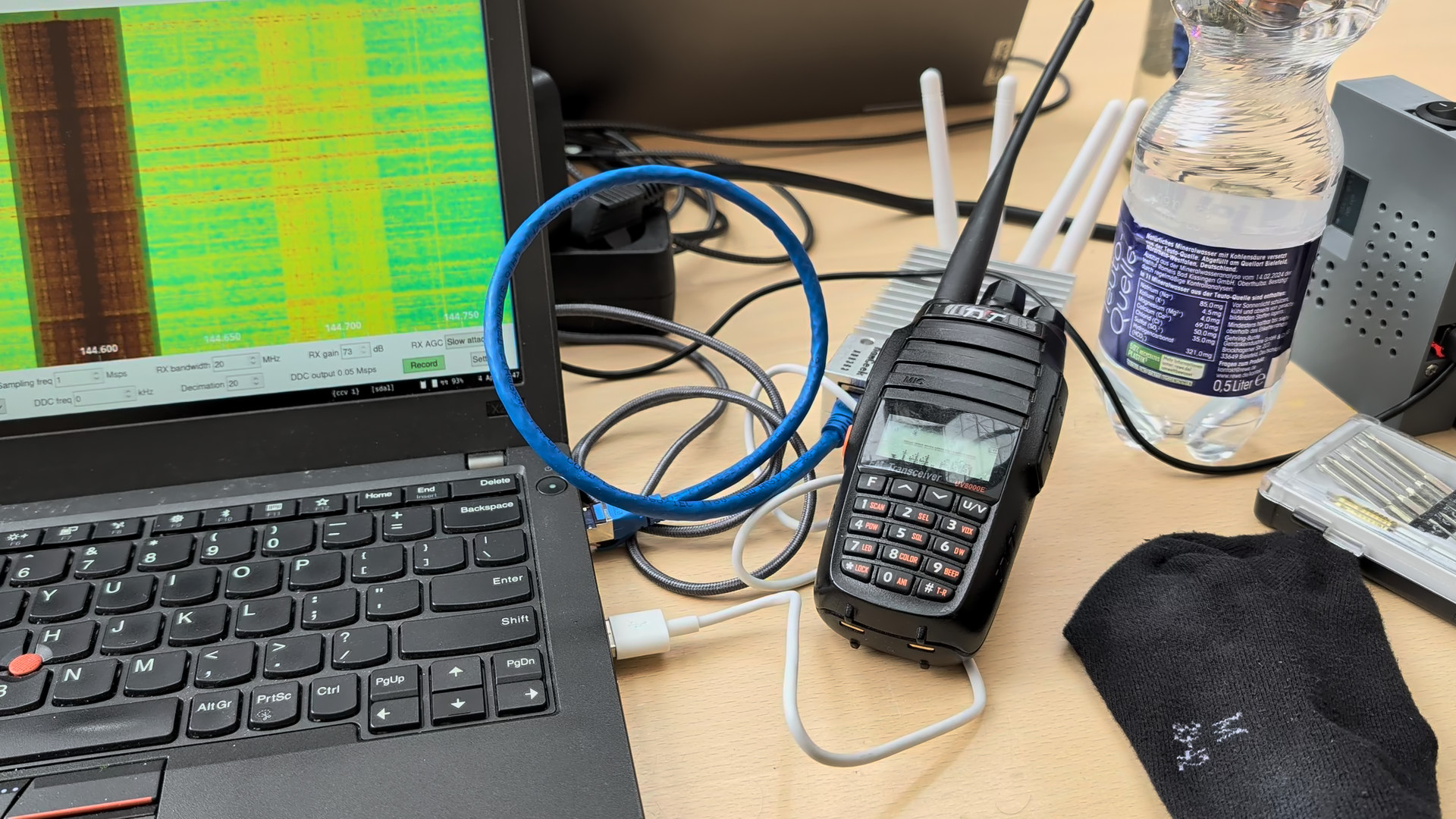
Note that emitting FM transmissions may be considered illegal depending on your jurisdiction, TX power, EIRP, and/or frequency band. This example is going to use the ham radio band, which requires you to have a license and mention your callsign in transmissions in all countries that I am aware of.
No lawyers or regulators were harmed in the making of this blog post (I do have a valid ham radio license and call sign. DF7LUX meowing here!).
Software Setup
See the pysdr.org documentation for a detailed how-to. In my case (Debian unstable), installing the required dependencies (libad9361-dev, libaio-dev), activating a Python3 virtualenv, and running the following commands within it was sufficient.
git clone --branch v0.0.14 https://github.com/analogdevicesinc/pyadi-iio.git
cd pyadi-iio
pip3 install --upgrade pip
pip3 install -r requirements.txt
pip install setuptools scipy
python3 setup.py install
Basics
PySDR / PlutoSDR works with IQ samples and applies them to a carrier frequency by itself.
Its tx function takes a bunch of samples and blocks until they have been transmitted.
First, we need to define some basic parameters.
Here, we're going to use 100,000 samples per tx call and a 1 MHz PySDR sample rate.
Our FM transmission will use a maximum deviation of 12.5 kHz, which seems to work best for my Radioddity GD77.
We're also going to use the ham radio 144.6 MHz band for this test.
n_samples_per_tx = 100_000
sdr_sample_rate = 1_000_000
fm_deviation = 12_500
fm_carrier = 144_600_000
Now, in order to get started, we need to import some modules:
import adi
import numpy as np
import time
import scipy.io
import scipy.signal
Reading in a WAV file
Given a 16-bit signed WAV file, we can use scipy.io.wavfile to load it.
wav_sample_rate, data = scpiy.io.wavfile.read("some audio that includes your callsign.wav")
We're going to do a simple mono transmission, so in case the file holds stereo data, we'll throw away the second channel:
len(data.shape) == 2:
    data = data[:, 0]
The WAV file holds 16-bit signed data (-32767 to 32768), whereas PySDR expects its samples to be 15-bit signed (-16383 to 16384) and the operations we're going to perform later assume floating point data in the range -1 to 1. Hence, we scale all samples to be within [-1, 1].
data = data / 2**15
Resampling
WAV files typically have a sample rate of 44.1 or 48 kHz; our SDR expects 1 MHz. So, for every sample in the WAV file, we must pass (roughly) 20 samples to the SDR.
We can use scipy.signal.resample to perform this transformation:
we have data.shape[0] input samples and must stretch the number of samples by the ratio of SDR sample rate to WAV sample rate.
samples = scipy.signal.resample(
    data, int(data.shape[0] * (sdr_sample_rate / wav_sample_rate))
)
Note: this function seems to be quite memory-hungry. Alternatively, you can try the following snippet, which is not how it should be done but seems to be work well enough in practice.
# samples = np.repeat(data, sdr_sample_rate // wav_sample_rate)
Low-Pass Filter
The Nyquist-Shannon theorem states that a receiver operating with a specific sampling rate f can only reconstruct signals with frequencies of up to f/2 correctly. Any higher transmitted frequencies may cause aliasing, which may or may not cause unwanted effects for audio data.
As far as I understand it, this does not quite apply to FM transmissions – we've got 12.5 kHz FM deviation, but the SDR's sample rate, and thus the available bandwidth, is 1 MHz – or something between those two frequencies, anyway. In any case, applying a digital filter that throws away anything abore 12.5 kHz (and below 20 Hz for good measure) won't hurt. I'm not familiar with the intricacies of scipy.signal yet – this Finite Impulse Response filter works, but is copy-pasted and adjusted based on best guesses. So you might want to do your own research here.
bb = scipy.signal.firwin(41, (20, fm_deviation), pass_zero=False, fs=sdr_sample_rate)
samples = scipy.signal.lfilter(bb, [1], samples)
scipy.signal offers lots of different filtering methods; there may be better / more elegant ways of low-pass filtering.
Interlude: AM Transmission
Our audio signal is now almost ready for transmission. In fact, if all we wanted to do is AM (amplitude modulation), we would already be done. Our SDR uses IQ sampling, which means that each sample consists of two component: I (multiplied with the cosine of the carrier frequency) and Q (multiplied with the sine of the carrier frequency). The actual transmitted signal is x(t) = I · cos(2πft) + Q · sin(2πft), with I and Q belonging to individual samples in the TX buffer and f being the carrier frequency. With a sample rate of 1 MHz and a carrier of 144.6 MHz, each sample is used for 144.6 periods of the underlying carrier's sine / cosine waves.
In PySDR, IQ samples are represented as complex numbers I + jQ, where I is the real part and Q the imaginary one.
As samples contains purely real values, we obtain x(t) = I · cos(2πft), meaning that our samples I are modulating the amplitude of the carrier frequency -- or, in short, we're doing AM.
Generating IQ Samples for FM Transmission
In order to do FM, we must adjust the frequency of the carrier rather than its amplitude – the amplitude should always remain at its maximum value.
So, if samples[i] == -1, we want to shift the carrier down by -12.5 kHz to transmit a 144.5875 MHz signal.
If samples[i] == 0, we want to leave it as-is (144.600 MHz), and for samples[i] == 1, we want to shift it by +12.5 kHz to end up at 144.6125 MHz.
With IQ sampling, we can control only two aspects of the 144.6 MHz carrier transmitted by the SDR: its amplitude (see above) and its phase. We cannot adjust the frequency directly. However, we can control the phase for each sample separately.
If we transmit two consecutive samples with a different phase, this will affect the carrier's sine wave right at the transition between the two samples. For a positive phase difference, the sine will be slightly “too slow”, i.e., essentially have a lower frequency than the configured carrier. For a negative phase difference, the sine will be slightly “too fast”, i.e., essentially have a higher frequency than the configured carrier. This is called phase modulation, and the nice thing about it is that it can also be used for frequency modulation.
Interlude: Frequency Modulation via Phase Modulaton
Let's assume that we had an SDR sample rate that is identical to the carrier frequency, so, 144.6 MHz. Each sample is precisely as long as a single period of the carrier signal.
If we shift the phase by 180° after each period of the carrier signal, this effectively increases the frequency of the transmitted sine wave by 50% – so, rather than a 144.6 MHz signal, we'll be transmitting a 216.9 MHz one. We'll also be transmitting a (smaller?) frequency component that is 50% slower than our carrier, so, at 72.3 MHz.
If we shift the phase by 90°, we increase (or decrease, depending on direction) the frequency of the transmitted sine wave by 25%, yielding 108.45 or 180.75 MHz. In general, if we shift the phase by φ°, we'll transmit 144.6 MHz + (φ/360°) · 144.6 MHz.
Now, with the SDR, we cannot shift the phase after each period of the carrier – we can only do so every few dozen to hundreds of carrier periods. In this specific case, with 144.6 MHz carrier and 1 MHz sample rate, we can shift the phase every 144-odd carrier periods.
Even in this case, frequency modulation via phase moulation still works. Let's say that we shift the phase every ten carrier periods for now. Now, we're only doing this “± 50%” dance on 10% of all periods, and, as luck would have it, that also means that our frequency deviation is just 10% as high: we get 5% shift of the carrier frequency rather than the 50% we had before. So, a 180° shift will cause the frequency spectrum to split into two peaks: one is 5% higher and one 5% lower, i.e., one at 137.37 MHz and one at 151.83 MHz. A 90° shift will cause the frequency to increase / decrease by 2.5%, and so on.
Generally speaking: A phase shift of φ° every n carrier periods will cause the transmitted frequency to change by (φ/360°) · (1/n) · 144.6 MHz.
And even more generally speaking, since n = carrierFrequency / sampleRate: A phase shift of φ° will cause the transmitted frequency to change by (φ/360°) · (1/(carrierFrequency/sampleRate)) · carrier, which simplifies to (φ/360°) · sampleRate.
FM Transmission
Now all that's left is determining the correct amount of phase change for each audio sample. At 1 MHz sample rate, the maximum we could do (with 180°, independent of carrier frequency) is ± 500 kHz, and we only need ± 12.5 kHz – so, the maximum required phase change is ± 4.5°.
We can also calculate that directly:
- deviation = (φ/360°) · sampleRate
- ⇒ φ = 360° · deviation / sampleRate
- ⇒ φ = 360° · 12.5 kHz / 1 MHz
- ⇒ φ = 4.5°
If we convert to radians (i.e., normalize 180° to π, which is how PySDR likes it), that's x = 2π · deviation / sampleRate.
At this point, there is one thing which I still do not understand: my code only works with x = π · deviation / sampleRate (note the missing factor of two). I suppose that I have simply mis-assumed the frequency deviation and should have used 6 kHz instead, but for now, I'm gonna leave this as-is. Let me know if you know more ^.^
So, what we finally have is:
phase_changes = samples * np.pi * fm_deviation / sdr_sample_rate
PySDR takes in absolute phase information, so we need to calculate the cumulative sum of this phase change array:
phase_integral = np.cumsum(phase_changes)
And with that, we can tell PySDR that we'd like to transmit a PM signal with a constant amplitude (of 1) and phases as determined by phase_integral:
fm_samples = np.exp(1j * phase_integral)
Boiler Plate
Now all that's left is scaling everything up from -1 … 1 to the 15-bit signed values that PlutoSDR expects, and then transmitting those.
fm_samples *= 2**14

sdr = adi.Pluto("ip:…")

sdr.sample_rate = int(sdr_sample_rate)
sdr.tx_rf_bandwidth = int(sdr_sample_rate)
sdr.tx_lo = int(fm_carrier)
sdr.tx_hardwaregain_chan0 = -10

print("SDR is being configured, waiting 2 seconds before beginning transmission …")
time.sleep(2)

for i in range(fm_samples.shape[0] // n_samples_per_tx):
    sdr.tx(fm_samples[i * n_samples_per_tx : (i + 1) * n_samples_per_tx])
The full script (with some quality-of-life improvements) is available at plutosdr-playground/tx-fm.py. Next item on the todo list is probably using multiprocessing so that the transmission can already start as the input file is being processed.
Automatic Screen Rotation on a Chuwi Minibook X
I recently got myself a new laptop (yes, in 2026, of all times – but at 360€, I'd say the price was quite acceptable): a Chuwi Minibook X. Performance-wise, it's nothing to write home about – it's slightly faster than the X270 I've been using since 2017, and I don't need any more than that. However, with a 10.5" Full HD touchscreen that supports 360° rotation, it's a really nifty netbook / tablet hybrid, and pretty much exactly the type of device that I've been looking for. Especially for hiking and related trips, I like having a laptop with me to pass the time on the train, but a 13.5" laptop was just too unwieldy for that.
When running the Minibook X with Gnome or similar environments, orientation-dependent screen rotation etc. should just happen automatically. In my case, I'm running i3, so I need to do that on my own. And, even if you don't want automatic rotation, you do need to make some changes at least once after booting: the netbook is using a tablet screen, and thus its native orientation is portrait mode.
Boot-Time Screen Orientation
Add the following parameter to the kernel command line (e.g., on Debian, by appending it to GRUB_CMDLINE_LINUX_DEFAULT in /etc/default/grub):
video=DSI-1:panel_orientation=right_side_up
Reading Out the Screen Angle
The netbook contains two identical accelerometers, one in the screen and one in the base. By default, Linux only exposes the one in the screen. There are ways around that, but in my case, a screen-only solution is sufficient.
So: /sys/bus/i2c/drivers/mxc4005/i2c-MDA6655:00/iio:device0/in_accel_?_raw contains raw readings in x, y, and z direction, depending on what you substitute for ?.
You could do some fancy trigonometry now, or you could just use the simplest heuristic that you can come up with.
I opted for the latter:
def get_accel(axis):
    with open(
        f"/sys/bus/i2c/drivers/mxc4005/i2c-MDA6655:00/iio:device0/in_accel_{axis}_raw",
        "r",
    ) as f:
        x = int(f.read())
    return x


if __name__ == "__main__":
    while True:
        x = get_accel("x")
        y = get_accel("y")
        if x < -500 and mode != "up":
            new_mode = "up"
            # The screen is in normal laptop orientation
        elif x > 500 and mode != "down":
            new_mode = "down"
            # The screen is in inverse laptop orientation ("tent mode")
        if y < -500 and mode != "normal":
            new_mode = "normal"
            # The screen is in its native orientation: it has been rotated into portrait mode so that the hinge is on the left when looking at the screen
        elif y > 500 and mode != "flip":
            new_mode = "flip"
            # The screen has been rotated into portrait mode so that the hinge is on the right when looking at the screen

        # ...

        time.sleep(1)
Changing Screen Orientation
Adjusting the screen orientation actually consists of two commands: one for output (xrandr, as usual), and one for touch input (xinput coordinate transformation matrix). Otherwise, touchscreen events will no longer map to the right display coordinates.
Laptop Configuration ("up")
xrandr --output DSI-1 --rotate rightxinput set-prop pointer:Goodix Capacitive TouchScreen --type=float Coordinate Transformation Matrix 0 1 0 -1 0 1 0 0 1
The second line sets the 3×3 coordinate transformation matrix to the following value:
 0  1  0
-1  0  1
 0  0  1
Tent Configuration ("down")
xrandr --output DSI-1 --rotate leftxinput set-prop pointer:Goodix Capacitive TouchScreen --type=float Coordinate Transformation Matrix 0 -1 1 1 0 0 0 0 1
The second line sets the 3×3 coordinate transformation matrix to the following value:
 0 -1  1
 1  0  0
 0  0  1
Tablet Configuration 1 ("normal")
xrandr --output DSI-1 --rotate normalxinput set-prop pointer:Goodix Capacitive TouchScreen --type=float Coordinate Transformation Matrix 1 0 0 0 1 0 0 0 1
The second line sets the 3×3 coordinate transformation matrix to the following value:
 1  0  0
 0  1  0
 0  0  1
Tablet Configuration 2 ("flip")
xrandr --output DSI-1 --rotate invertedxinput set-prop pointer:Goodix Capacitive TouchScreen --type=float Coordinate Transformation Matrix -1 0 1 0 -1 1 0 0 1
The second line sets the 3×3 coordinate transformation matrix to the following value:
-1  0  1
 0 -1  1
 0  0  1
Toggling Keyboard and Touchpad
Outside of laptop mode, I disable keyboard and touchpad so that I can actually use the device like a tablet.
Disabling Keyboard and Touchpad ("down", "normal", "flip")
xinput disable 'AT Translated Set 2 keyboard'xinput disable 'XXXX0000:05 0911:5288 Touchpad'
Enabling Keyboard and Touchpad ("normal")
xinput enable 'AT Translated Set 2 keyboard'xinput enable 'XXXX0000:05 0911:5288 Touchpad'
Setting the Wallpaper
After each rotation, you should set the wallpaper again to ensure that it is displayed correctly. How to do that depends on your setup – in my case, I'm using a simple wrapper around feh.
I have uploaded the full auto-rotate script at (sans custom wallpaper-setter) at chuwi-accel.py
Docker Multi-Platform Builds with a Remote Build Host
I finally got multi-platform / multi-arch Docker builds to work!
In principle, if you want to provide a single Docker image for both amd64 and arm64, all you need to do is run docker buildx build --platform linux/amd64,linux/arm64 ….
However, in order for this to actually work, there are several hoops to jump through.
The following how-to is mostly reconstructed from short-term memory and shell history, so you may want to double-check what I'm writing with the documentation.
Docker Storage Format
First, if you're using Docker version 28 or earlier, you need to change the storage format to one that supports multi-platform containers.
In my case, merging the following content into /etc/docker/daemon.json was sufficient:
{
  "features": {
    "containerd-snapshotter": true
  }
}
Not Recommended: binfmt / qemu
I first tried multi-platform builds by installing qemu-system-aarch64 and binfmt-support – in this case, Docker will use (slow!) software emulation for any selected, non-native platform.
However, I never got that to work – the non-native part would always fail at random places, and given its slow progress I was not very keen on debugging it.
Instead, I opted for a setup with two different, native build hosts: one for amd64 and one for arm64. In my case, I have an amd64 VM as the main build host, and an aarch64 / armv8 SoC as build host for arm64. I want to run all commands on the amd64 VM, and the arm64 host should be fully remote-controlled.
Adding Contexts and Builders
In order to make the amd64 VM aware of the arm64 build host, we need two aspects: a context and a builder.
docker context create raspi4 --docker 'host=ssh://user@host'
docker buildx create --use --name arm64_raspi4 --platform linux/arm64 raspi4
(adjust user and host according to your setup)
(Note: the second line may not be required if all you want / need is a single multi-platform builder – see below)
At this point, we can build either for amd64 or arm64, but not yet both at the same time.
If we tried to run docker buildx build --platform linux/amd64,linux/arm64 … now, it would fall back to software emulation via qemu for one of the two platforms, depending on which of the two builders (default / arm64_raspi4) is currently selected.
Note: In principle, you can also adjust the arm64 host's systemd docker invocation to include -H tcp://0.0.0.0:port, and then use --docker 'host=tcp://ip:port' when creating the context.
However, that will give anyone on the local network docker (and, thus, root) access to the arm64 host.
An SSH connection is a much better choice.
Adding a Multi-Platform Builder
Luckily, Docker has a concept of builders that consist of multiple endppoints:
docker buildx create --use --name multiarch default
docker buildx create --append --name multiarch raspi4
As docker buildx ls shows, we now have a builder that supports two sets of platforms:
NAME/NODE             DRIVER/ENDPOINT                   STATUS     BUILDKIT         PLATFORMS
multiarch*            docker-container
 \_ multiarch0         \_ unix:///var/run/docker.sock   running    v0.29.0          linux/amd64, linux/amd64/v2, linux/386
 \_ multiarch1         \_ raspi4                        running    v0.29.0          linux/arm64, linux/arm/v7, linux/arm/v6
And, as the asterisk indicates, it has been selected as builder for all subsequent docker commands. At this point, building works as intended. In my case, I'm using the following commandline to also tag and push the multi-platform image to docker hub:
docker buildx build --push --platform linux/amd64,linux/arm64 --tag derfnull/db-fakedisplay:${VERSION} --tag derfnull/db-fakedisplay:latest --build-arg=dbf_version=${VERSION} .
Travel::Routing::DE::HAFAS v0.11
Travel-Routing-DE-HAFAS-0.11.tar.gz (signature)
- Update service definitions
- Fix "uninitialized value" warnings
Travel::Routing::DE::DBRIS v0.11
Travel-Routing-DE-DBRIS-0.11.tar.gz (signature)
- Segment: Add
is_cancelledaccessor - dbris: indicated cancelled stops and segments
Travel::Routing::DE::DBRIS v0.10
Travel-Routing-DE-DBRIS-0.10.tar.gz (signature)
- Handle wonky backend timestamps during DST transition (e.g. CET to CEST)
- dbris:
-m/--modes-of-transit: identifiers are now case-insensitive - Connection::Segment: new accessors:
dep_stop,arr_stop - dbris: Show arrival date for cross-midnight connections
Travel::Status::DE::DBRIS v0.27
Travel-Status-DE-DBRIS-0.27.tar.gz (signature)
- Handle wonky backend timestamps during DST transition (e.g. CET to CEST)
Travel::Status::DE::VRR v3.20
Travel-Status-DE-VRR-3.20.tar.gz (signature)
- Handle wonky backend timestamps during DST transition (e.g. CET to CEST)
Travel::Status::DE::DBRIS v0.26
Travel-Status-DE-DBRIS-0.26.tar.gz (signature)
- Update train names (patch by Lili Chelsea Urban)
- dbris: Indicate when we are waiting for a request
Travel::Status::DE::DBRIS v0.25
Travel-Status-DE-DBRIS-0.25.tar.gz (signature)
- ...::Formation::Sector: Remove
cube_metersandcube_percentaccessors. The corresponding data is no longer provided by the backend.
Travel::Status::DE::VRR v3.19
Travel-Status-DE-VRR-3.19.tar.gz (signature)
EFA->new: add optionalnum_resultsargument (default: 40)efa: add-n/--num-resultsoption
Travel::Routing::DE::DBRIS v0.09
Travel-Routing-DE-DBRIS-0.09.tar.gz (signature)
- Increase default timeout to 20 seconds to deal with bahn.de's WAF now delaying most requests by about 10 seconds.
Travel::Status::DE::DBRIS v0.24
Travel-Status-DE-DBRIS-0.24.tar.gz (signature)
- Increase default timeout to 20 seconds to deal with bahn.de's WAF now delaying most requests by about 10 seconds.